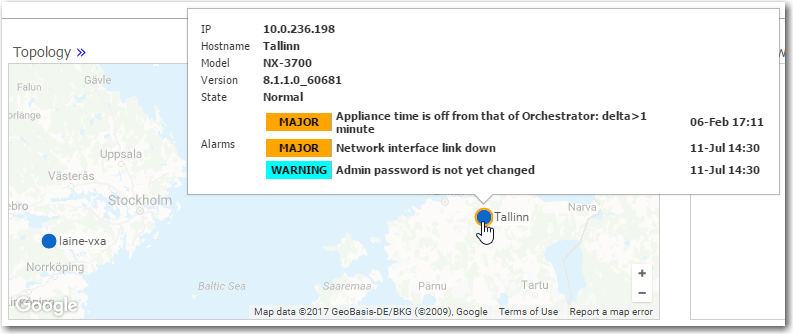
Topology
Monitoring > Summary > Topology
The Topology tab provides a visual summary of your Silver Peak network.
When configuring a software-defined WAN (SD-WAN), you can viewAll Overlays, individualBusiness Intent Overlays(BIOs), or the single and bondedUnderlaytunnels that support them.

You can access it underMonitoringin the menu bar, or by clicking the widget title on theDashboardtab.
Topology widget on Dashboard tab

The Legend details the appliances’ management and operational states.
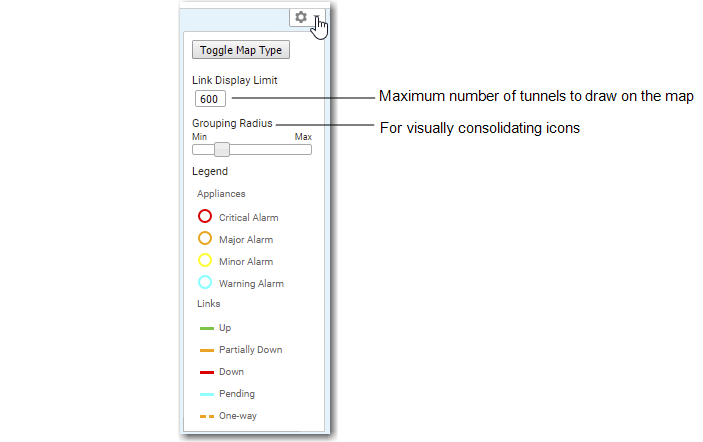
TheTopologymap can dynamically geolocate an appliance when you enter a location (City, State, Country) in an appliance Configuration Wizard, or when you modify the appliance by right-clicking to access its contextual menu.
The map tile renders to support variable detail at different zoom levels.
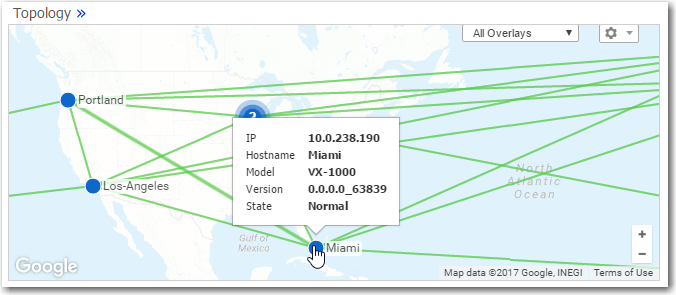
You can use icon grouping to visually consolidate adjacent appliances. The status bubbles up, and you can configure relative grouping distance in the map’s legend. The grouping is also a function of how far you zoom in or out.
Rolling over an individual appliance’s icon displays basic system information.
When the icon is encircled by a ring, indicating an alarm, those also display.